Digital Filing System
Ever caught yourself anxiously searching for a file you know you saved a while ago? Most likely it was buried in some random folder. If you’re a product or project manager, you’re familiar with this feeling—it’s frustrating, time-consuming, and honestly, a little embarrassing when deadlines are near.
That’s why digital filing systems can change how your team works together, allowing you to find what you need quickly and ensure the security of your documents. But what exactly are these systems? And how can you determine which one will complement your team’s needs? Let’s find out.
What is a Digital Filing System?
A digital filing system is basically an electronic way to organize and store documents. Instead of going through physical files, you search, tag, and access everything with a few clicks.
Some of these systems can be simple, like a well-organized folder structure on your computer. They can also be complex platforms that integrate with other workflow tools, automate processes, and even track who’s looking at what. Yes, sometimes that means a bit of setup upfront, but the payoff is worth it.
How Does the Digital Filing System Work?
You start by digitizing your documents. Some you scan, others you create digitally from the start. Then, everything goes into a central place, which could be a cloud server, your company’s own network, or a mix of both. What really makes it work is the metadata and tagging. Each file gets labeled with info like project name, date, or document type, so you can find it fast.
And what’s more, you get version control, so you don't have to worry about which draft is the latest. Access controls keep things secure. Collaboration tools let your team work together without emailing files back and forth.
Key Features
You’ll enjoy the benefits of:
- Centralized storage, where all your documents live in one place, meaning no more hunting through emails or random folders.
- Advanced search, including full-text search, keyword filters, and metadata tagging, making finding files quick and painless.
- Version control, which is used to track edits, see who changed what and when, and roll back to previous versions if needed.
- Access management, which allows teams to set user permissions, controlling who can view, edit, or share documents.
- Collaboration tools for commenting, annotating, and co-editing documents live with your team.
- Automation that speeds up workflows with automatic routing, reminders, and approval processes.
Benefits
The benefits of switching to a digital filing system go further than just tidiness.
- You’ll save time by avoiding the endless search through piles of paper or complicated folder trees. Finding the right file can take seconds instead of minutes.
- Productivity gets a real boost because your team spends less time wrestling with documents and more time focused on meaningful work.
- Costs go down since you use less paper, print less, and free up physical storage space. This brings real savings that quickly add up.
- Security improves thanks to features like encryption, audit trails, and controlled access, which keep sensitive information safe.
- Remote work becomes easier because files are accessible from anywhere, on any device, which is perfect for teams spread across different locations.
- Compliance is simpler to manage when you can maintain proper records with version histories and secure storage that meets legal or regulatory requirements.
Use Cases
Digital filing systems are easily adapted to fit a diverse range of business needs.
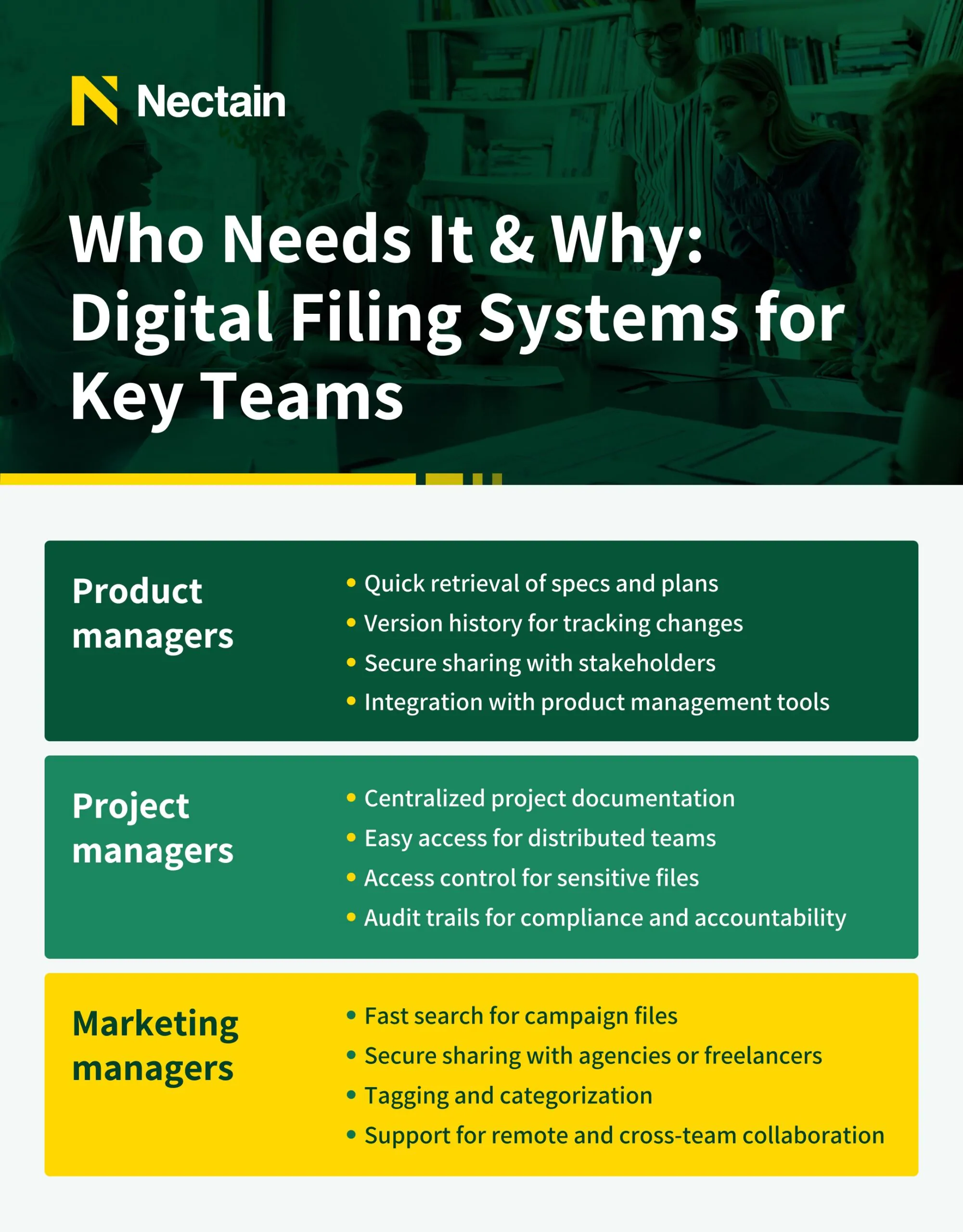
- In project management, they help keep all documentation—plans, specs, and reports—organized in one place, sorted by project phase or team.
- For human resources, they provide a secure way to store employee records, contracts, and compliance documents.
- Legal teams benefit by managing contracts, case files, and correspondence with detailed audit trails that track every change.
- Finance departments can organize invoices, receipts, and financial reports for easy access and to stay audit-ready.
- Marketing teams use them to archive campaign assets, briefs, and approvals, making collaboration and quick reference much simpler.
If you’ve ever tried juggling all those documents manually, you’ll appreciate how much smoother it is when operating digitally.
Types of Digital Filing Systems
There’s a surprising variety out there, and what works for one team might not work for another. For this reason, research and trials are key.
Cloud-Based Filing Systems
Cloud-based file sharing services like Google Drive or Dropbox are popular for personal use. They are also used for basic file sharing. However, they often fail to meet the complex needs of larger organizations. These platforms are good for individual file storage. But they present challenges in structured, company-wide document management.
Here's why:
- These services are for individual file organization. They don't establish a unified, company-wide document architecture. Documents are scattered across accounts and folders. This creates confusion and hinders retrieval.
- General file sharing services lack robust workflow automation. Document approvals and reviews rely on manual processes. This leads to delays and inefficiencies.
- Managing user access and document retention becomes complex as the organization grows. Basic file-sharing systems struggle with governance.
- Enterprises need robust security. Standard cloud storage may lack necessary features like end-to-end encryption. This raises concerns about data breaches and compliance.
Local (On-Premise) Digital Filing Systems
Here, everything’s stored on your servers. You have full control over security and compliance, which is crucial for industries with strict regulations. The only downside is higher upfront costs and IT overhead.
Enterprise Document Management Systems (DMS)
These platforms are built for large enterprises with complex needs and lots of users. They offer workflow automation, e-signatures, metadata management, and integration with other enterprise tools. If you want to dive deeper, see more about choosing a enterprise document management system.
Hybrid Digital Filing Systems
A blend of cloud and on-premise. You may choose to keep sensitive data onsite, while less important files are stored in the cloud. It’s flexible, though it can get complicated managing two systems.
Specialized Digital Filing Systems
Some industries require certain things tailored. Healthcare, legal, construction—they all have unique compliance and workflow needs. Specialized systems cater to those specifics, which can be a lifesaver if your sector is highly regulated.
How to Choose a Digital Filing System
Here’s a practical checklist to guide you through the process:
- Assess Your Document Volume and Types
- How many files do you manage regularly?
- Are they mostly text documents, images, videos, or specialized formats like CAD files?
- Evaluate Document Sensitivity
- Do you handle confidential or regulated information?
- What level of security (encryption, access controls) do you need?
- Identify Who Needs Access
- Is access limited to an internal team or extended to remote workers, freelancers, or clients?
- How granular do permission settings need to be?
- Check Integration with Existing Tools
- What software does your team currently use (project management, CRM, communication platforms)?
- Does the filing system integrate smoothly with these tools?
- Consider Scalability
- Will the system handle growth in document volume and user numbers over time?
- Can it adapt to evolving business needs without major disruptions?
- Prioritize Usability
- Is the system intuitive and easy to learn?
- Will your team actually want to use it daily?
- Review Budget and Total Cost of Ownership
- What are the upfront costs versus ongoing fees?
- Are there hidden expenses like training, maintenance, or add-ons?
- Evaluate Vendor Support
- Does the vendor offer reliable onboarding and training?
- How responsive is their customer service when issues arise?
- Think About Deployment Options
- Do you prefer cloud-based, on-premise, hybrid, or specialized systems?
- Which deployment model fits your security and accessibility needs best?
- Plan for Change Management
- How will you encourage adoption across your team?
- What resources or training will help ease the transition?
Use this list as a starting point. Choosing a digital filing system is as much about understanding your team’s habits and challenges as it is about technology specs. Take your time, involve your team, and don’t hesitate to test a few options before committing.