


Widgets and Dashboarding: What’s New in Nectain

Modern teams expect more than static pages—they need dynamic dashboarding tools that turn everyday work into clear, actionable insights. With Nectain’s updated data visualisation dashboard capabilities, users can build personalized views that bring the right information to the surface at the right time. Whether it’s quick shortcuts, branded content, or real-time task and calendar overviews, the new widget framework makes dashboard reporting simple, flexible, and intuitive.
This update expands how organizations use dashboard data visualisation inside Nectain, giving administrators powerful configuration options and giving every user the freedom to design a workspace that fits how they work best.
1. What Widgets Are and Why They Matter
Widgets are small, configurable components that let users personalize their workspace and access information faster.
On the Home page, two widgets are available by default:
Recent Conversations — your system chats
Document Search — quick search across your workspace
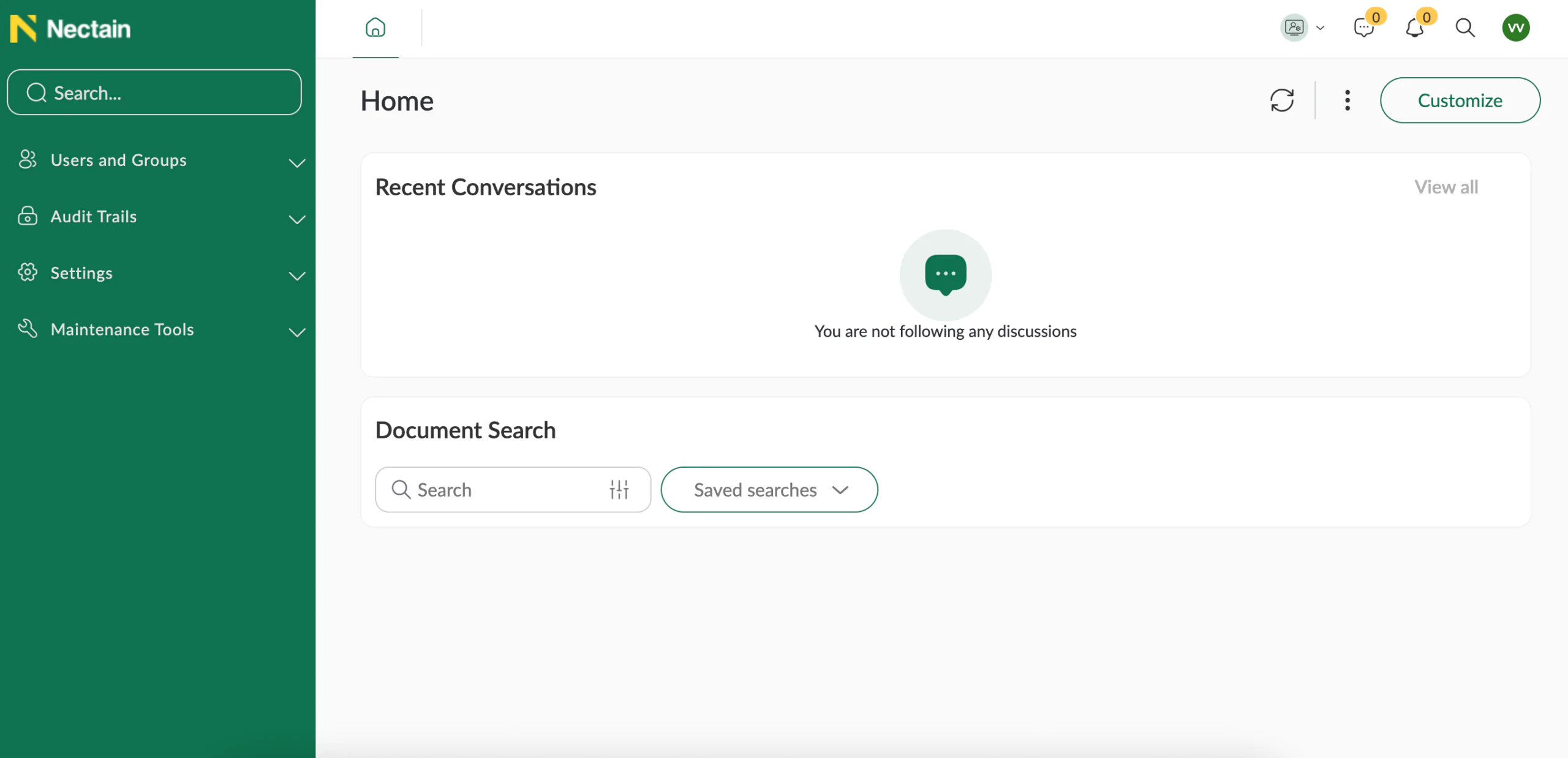
Administrators can create additional widgets in Studio → User Interface → Dashboard Widgets. These widgets can then be made available to selected users or groups.

2. Types of Widgets
Nectain supports several widget types:
- Calendar
- Link
- Rich Text (supports images)
- Shortcut
- Table
- Task

Each widget can be created in two sizes — large or small — and includes access permissions. When creating a widget, the administrator assigns visibility to specific groups, roles, or individual users.

Every widget type comes with its own configuration options.
Link Widget
A Link widget lets you add an icon, attach a hyperlink (for example, documentation), and set a custom title and description. It’s ideal for guiding users to important internal or external resources.

Shortcut Widget
A Shortcut widget provides instant access to frequently used features or sections. It streamlines navigation and can include an optional short description.

Rich Text Widget
A Rich Text widget is designed for branding and visual customization. It supports formatted text and images, making it perfect for customizing the Home page or sharing important announcements.

Task Widgets
Task widgets help users stay on top of their work. Available variants include My Tasks, All Tasks, and Task Archive, letting users view active assignments, track team tasks, or review completed items.

Table Widget
A Table widget allows advanced configuration. Users can choose an Entity, select which attributes to display, build a custom column set, and apply filtering or sorting rules. This widget is especially useful for turning structured data into a personalized dashboard view.

3. Customizing Dashboards
Once an administrator creates a set of widgets and configures access rights, every user can personalize their Home page.
Users can:
- See all widgets available to them
- Choose layout grouping (one, two, or three columns)
- Add as many widgets as they need—no limits
- Adjust the layout, rename widgets, and localize titles in any supported language

Here’show the updated page now appears for users.

After creating a dashboard, the user can share it with colleagues.

Shared dashboards appear in All Dashboards → Shared with Me.
From there, users can:
- Set a shared dashboard as their default
- Customize it further and save it as a new, personalized dashboard

Nectain’s new Widgets and Dashboards update marks a major step forward in how teams organize information and interact with daily workflows. With flexible components, personalized layouts, and granular access controls, every user can now shape a workspace that truly works for them.
As organizations continue to rely on smarter dashboarding tools, Nectain delivers a powerful foundation for building a data visualisation dashboard that adapts to changing needs. From real-time insights to streamlined dashboard reporting, the platform brings clarity and speed to every level of work.
With these enhancements, Nectain redefines what dashboard data visualisation can look like—simple, customizable, and ready to scale with your business.
Related Posts

Who really owns your product: AI makes irresponsibility cheaper upfront — and more expensive later


Keep it Undefined, and You Never Have to Prove You’ve Built It
Get Updates and Insights Straight to Your Inbox
Stay up to date with the latest news, announcements, and articles.
